

The inventory scanner app built by professional inventory counters.
Scan barcodes, count fast, and export to CSV or Excel, right from your iPhone.

Want to turn counting into your own business? See the kit →
Free to download. 7-day free trial, then $9.99/month. Cancel anytime in your Apple ID settings. iPhone only, iOS 16.4 or later.
ProCount Financial Inventory
Count a store in dollars from your iPhone and get accountant-friendly recaps. No sign-up.
- ✓Count in dollars. Key price × qty on a ten-key keypad, with area and category totals as you go.
- ✓Selling or buying a store? Agree on the inventory value at closing with PDF recaps at retail and cost, your logo and buyer and seller signature lines.
- ✓Invite your crew by link. Every phone feeds one count, and every edit is logged.


Financial Inventory preview


Why counters switch to ProCount
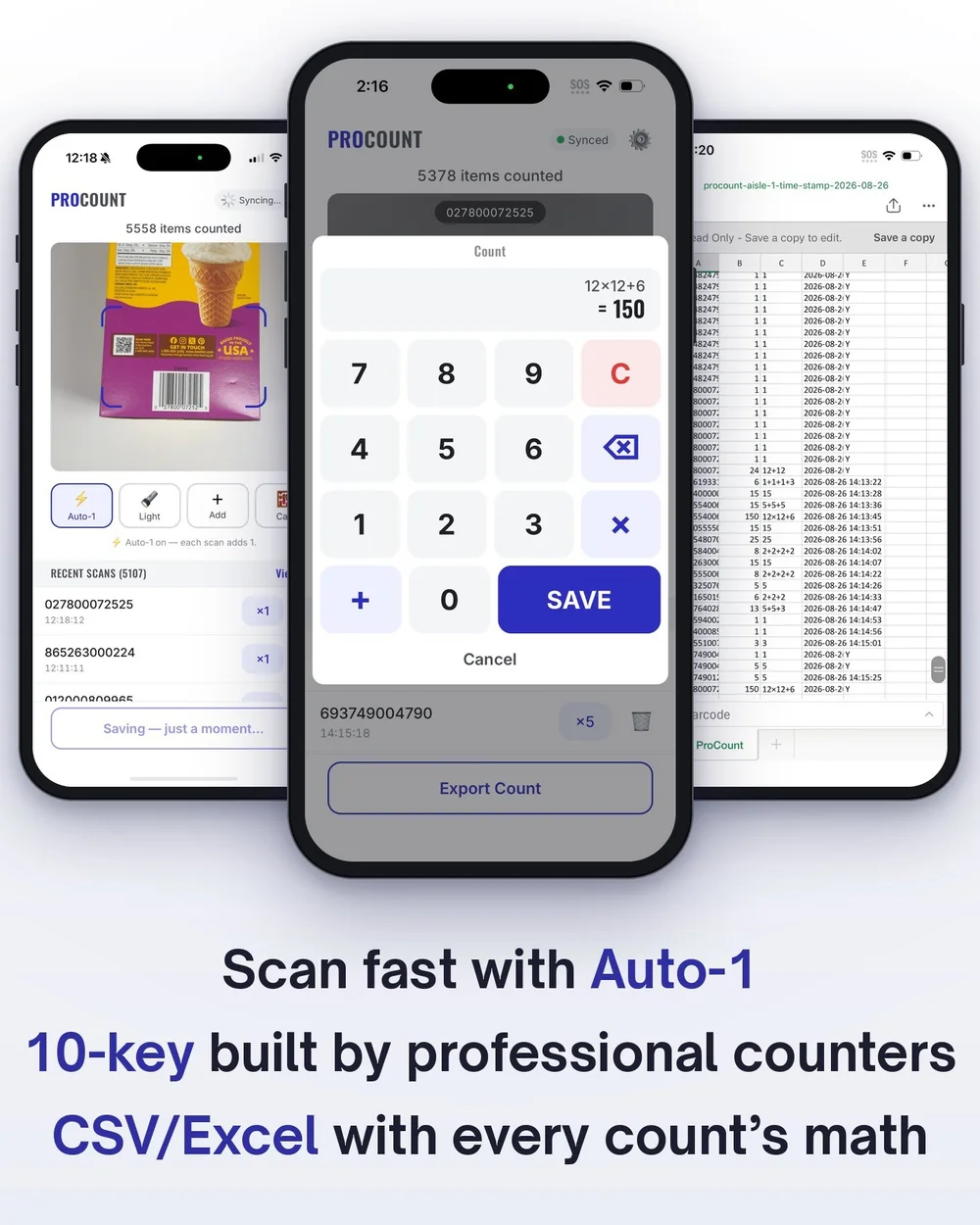
Scan fast with Auto-1
Each scan adds 1 and gets ready for the next. Rapid counting for shelves of singles.
A 10-key built by professional inventory counters
Type the math, not the total. Enter 12×12+6 and ProCount saves 150.
Export to CSV or Excel
CSV files import into your back-office or inventory system. Excel works great for smaller shops.
Barcode or QR, one toggle
Switch between barcodes and QR codes with one tap, so you scan the right code when a package has both.
Scan. Count. Export.
- Scan a barcode or QR code with your iPhone camera.
- Count with Auto-1, or type the math on the 10-key.
- Export a CSV or Excel file when you're done.
Inventory counts and stock counts for every stockroom
- Liquor and wine stores: count bottles by the case or the shelf.
- Retail shops: fast inventory counts on the sales floor.
- Warehouses and stockrooms: scan pallets, bins, and shelves.
- E-commerce and distribution: count fulfillment shelves and incoming stock.
Already use inventory software?
ProCount exports a clean CSV file you can import into your back-office or inventory system, so your staff counts on iPhones and the numbers go straight into the system you already have.
Built by professional inventory counters
ProCount was built by professional inventory counters who have provided physical inventory services since 1999, around how counts actually run.
Simple pricing
Free to download. 7-day free trial, then $9.99/month. Cancel anytime in your Apple ID settings.
How much does ProCount cost?
The download is free. You get a 7-day free trial, then ProCount Pro is $9.99/month, charged to your Apple ID. It renews automatically unless you cancel at least 24 hours before the period ends.
How do I cancel?
On your iPhone, open Settings, tap your name, then Subscriptions, then ProCount. Deleting the app does not cancel the subscription.
Can it scan QR codes?
Yes. One toggle switches the camera between barcodes and QR codes.
What file do I get?
A CSV file that imports into back-office and inventory systems, or an Excel file for smaller shops.
Is there an Android version?
Not right now. ProCount is iPhone only (iOS 16.4 or later).
More questions? See the full FAQ or read how to do a physical inventory count.
Count your next inventory in less time.
Free to download · 7-day free trial · iPhone
Start your 7-day free trialStuck on an inventory problem? Talk to the guy who built the app.
Count procedures, variances, shrink. We take on a few consulting clients at a time. Inventory consulting
Follow ProCount
Android app coming soon
Get an email the day it launches.